

How it works
Start with Zanoza from the App Store. Then add your stations, arrange your collection, and start listening.
1. Add your stations
Zanoza starts with your own collection. It does not include a built-in station catalog.
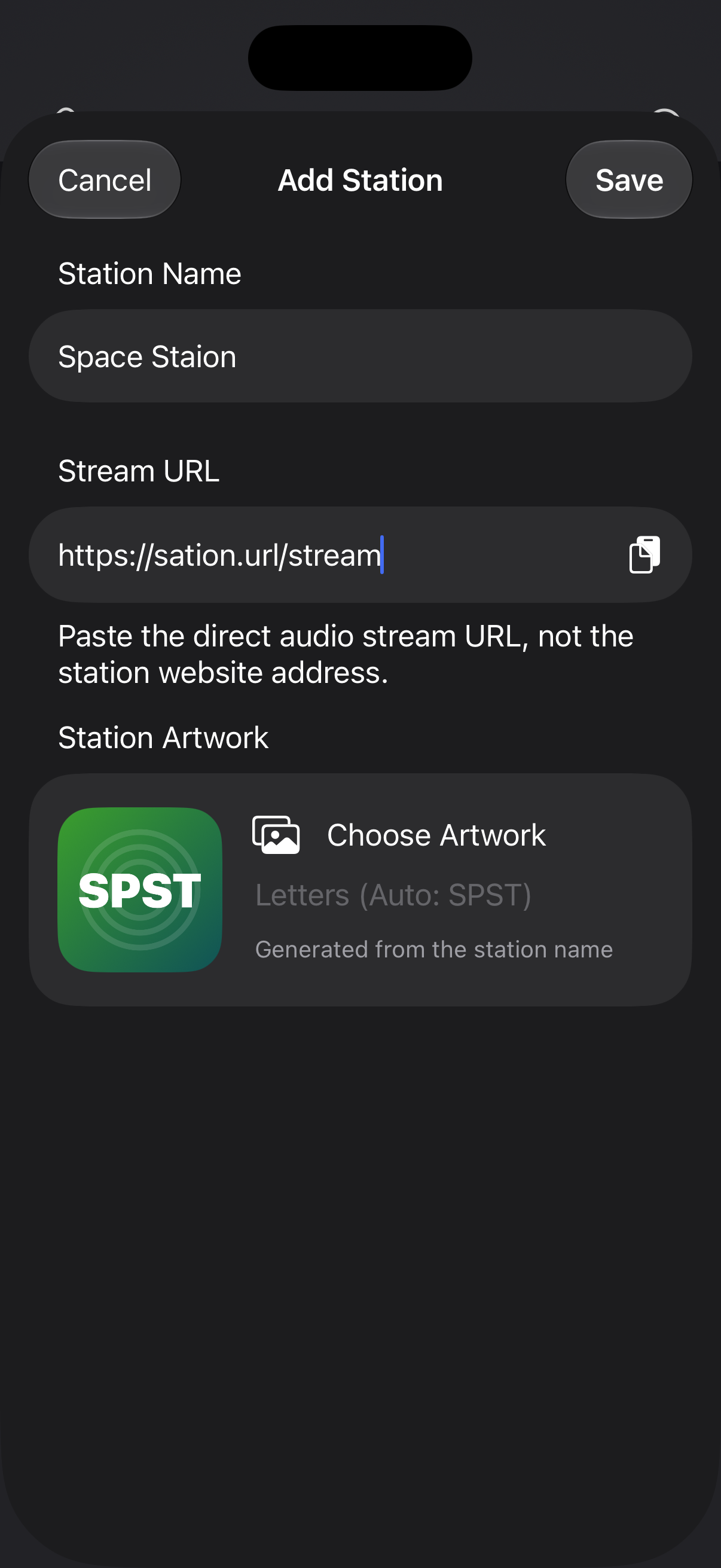
- Open Stations and choose Add Station.
- Enter a name and the station’s direct audio stream URL.
- Save the station. It will appear in your collection.
Have a playlist file? In Stations, tap → Import Playlist and choose an M3U or PLS file. On Mac, you can also drop the file in from Finder.
Each import adds new stations to your existing collection without replacing it. Duplicate stream URLs are skipped.
You need a stream link from the radio station, rather than a link to its website. See the FAQ if a link will not play.
2. Make the collection yours
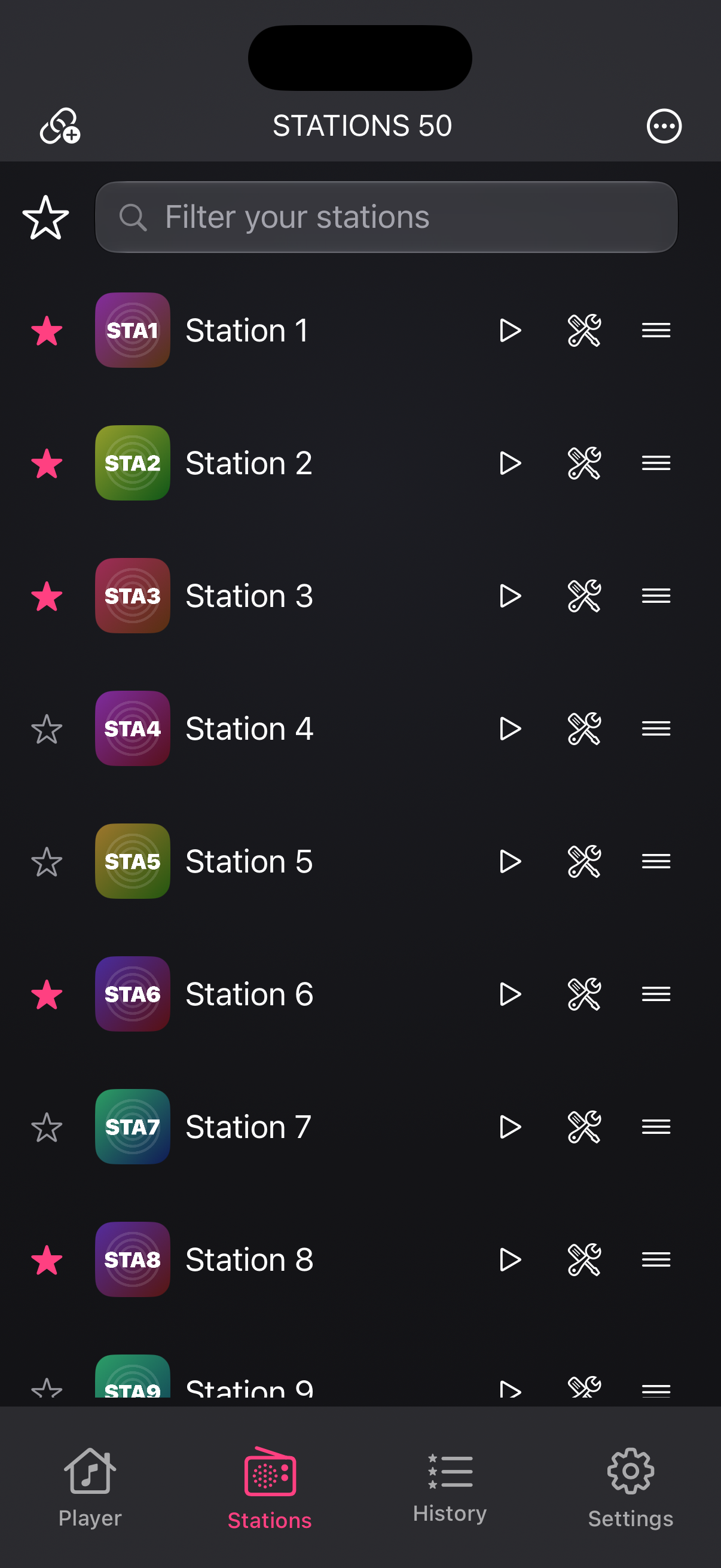
- Rename stations and arrange their order in All Stations.
- Mark stations with a star to add them to Favorites. Switch between All Stations and Favorites in the list or player.
- Edit a station to choose artwork from Photos, Files, an image URL, or a generated design with your own lettering.
Use Export Playlist in the Stations menu to save All Stations or just Favorites as an M3U or PLS file.
3. Start listening
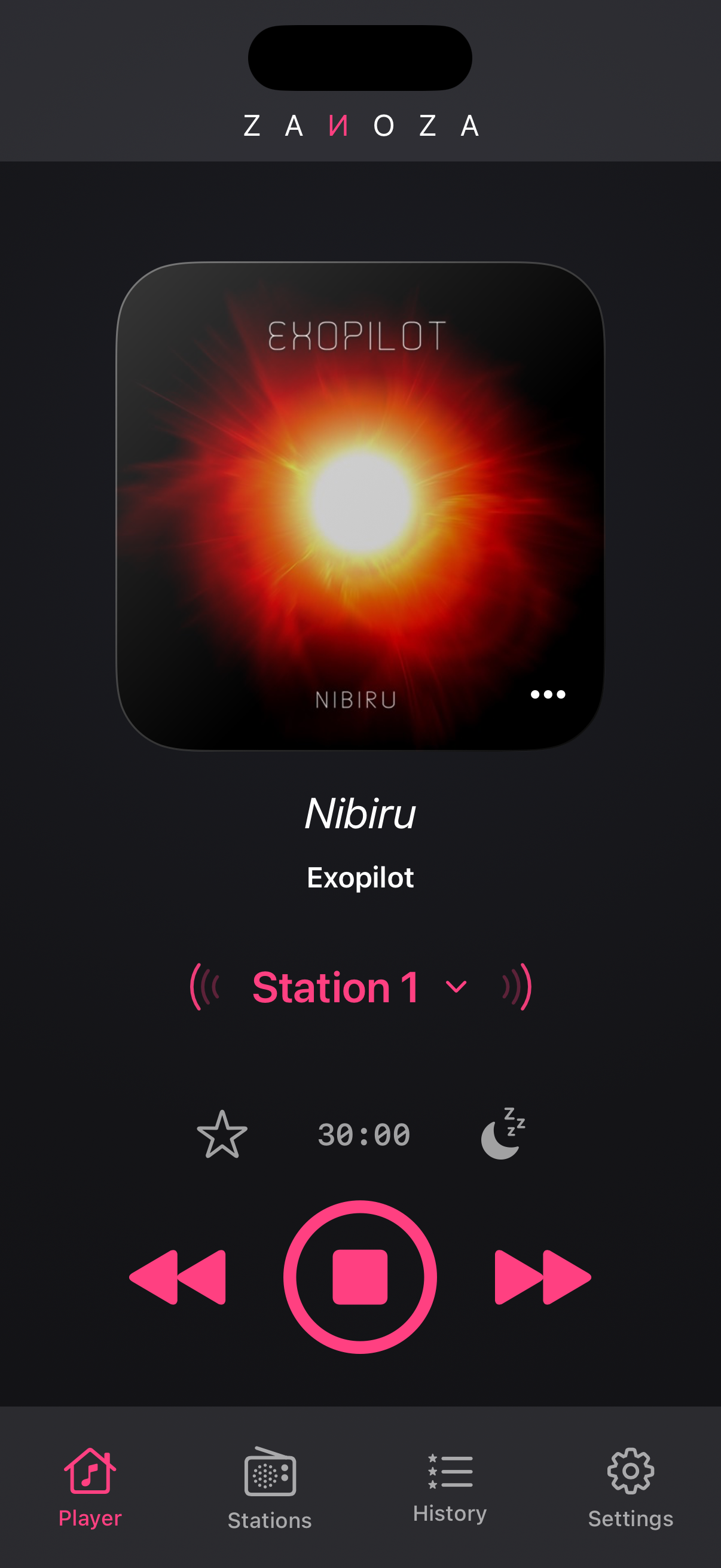
Choose a station and press Play. Next and Previous follow the selected All Stations or Favorites mode.
- Open History to revisit tracks you have heard. Like the ones you want to keep, copy their details, or search in Spotify or YouTube Music.
- Choose station artwork or automatic track covers in Settings. Track names and matching covers depend on the information supplied by the station.
- For the sleep timer, tap the time on the player to set a duration. While listening, use the moon button to start it. The volume fades before playback stops.
4. Listen on Mac or CarPlay
Mac with Apple Silicon. Zanoza runs as Designed for iPad. Use the button beside the ZANOZA title to switch to the mini player. Its speaker button opens the app-volume slider; media keys and playlist drops from Finder work too. Intel Macs are not supported.
CarPlay. Add stations in Zanoza on your iPhone. In CarPlay, browse the same collection, choose All Stations or Favorites, and control playback.
Still have a question?
The FAQ covers supported devices, pricing, missing covers, and playback problems. You can also write to [email protected].